Collections

Stop chasing every client for the balance

You know this one. You keep score of who has paid in your head, and the week of the party you send the “just a reminder” text. With Rally, the client agrees up front and the balance charges itself on its due date.

Everything Rally does for this job →
Step 1 · Set the terms

Set the deposit and the balance once, when you approve

When you approve a booking, the agreement and the deposit link go out together. The payment plan carries a due date for the deposit and one for the balance, so nobody has to remember them.
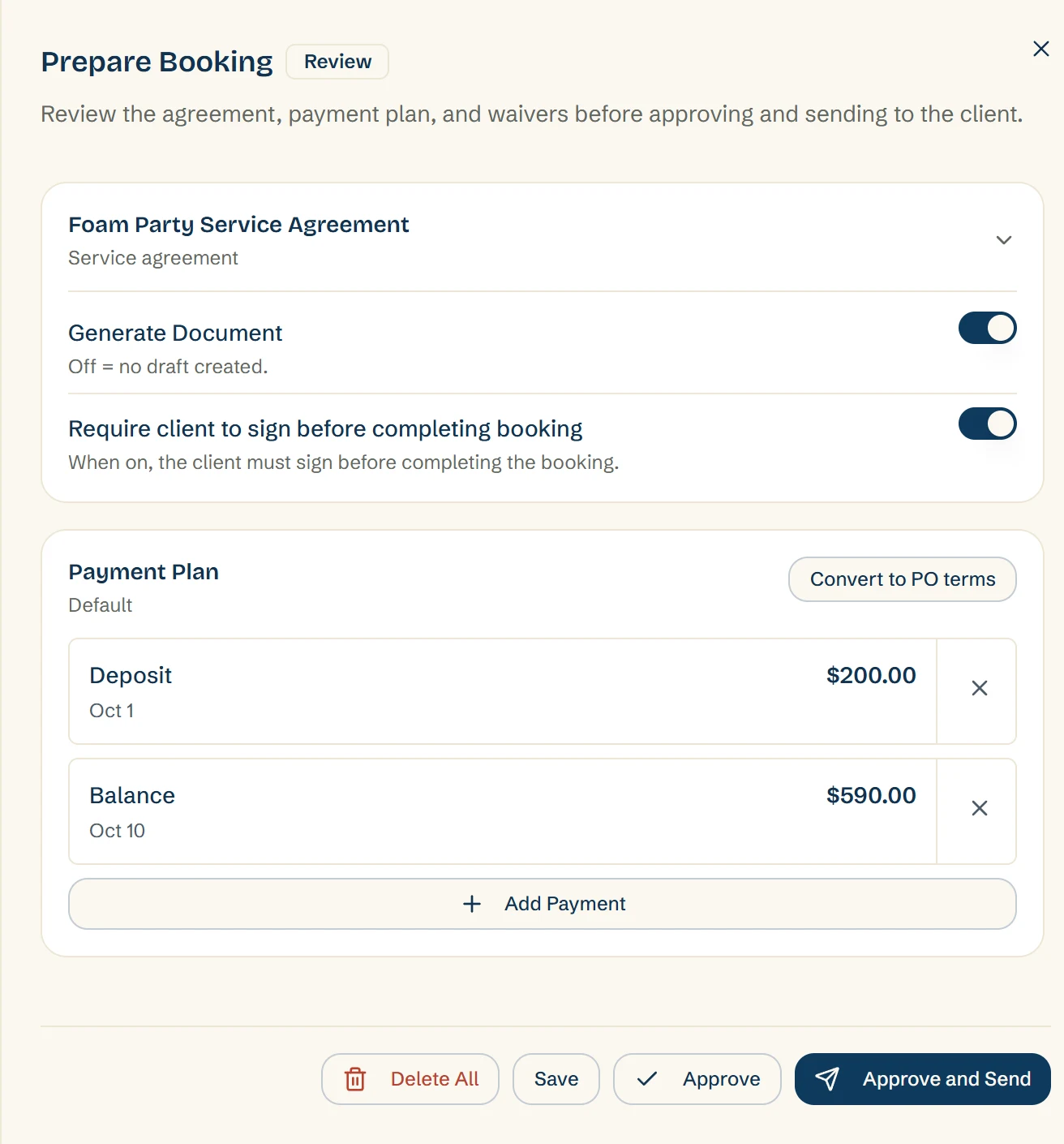
Approve and Send approves the request and sends the agreement and the deposit link together
Contracts with e-sign built in
Deposit policies you control, including whether an unpaid deposit blocks confirmation
Installment plans for the big bookings
Each balance link goes out on the date you set
Prepare Booking: the Foam Party Service Agreement set to need the client's signature, and a payment plan with a $200.00 deposit due Oct 1 and a $590.00 balance due Oct 10, ready to approve and send
Step 2 · The client's side

The client signs, pays the deposit, and agrees to auto-bill

One link covers the agreement and the deposit. When the client pays the deposit, they tick a box agreeing to have the balance charged to the same card on its due date.
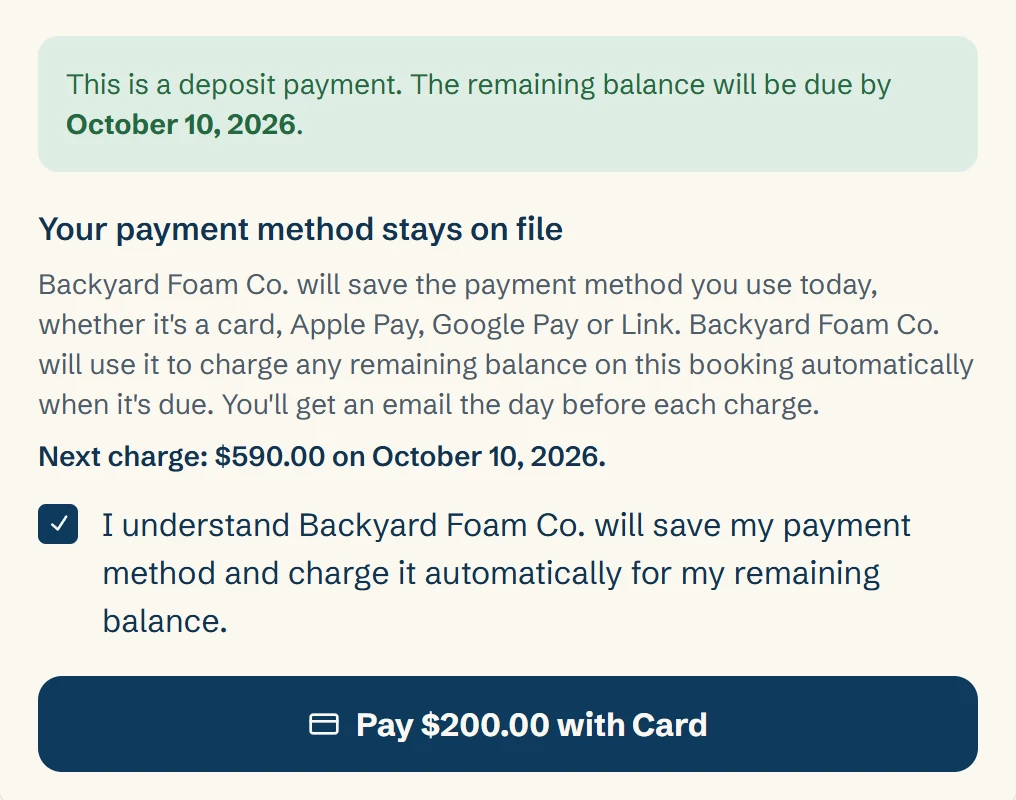
The client agrees to auto-bill with a tick box when they pay, and Rally keeps the exact wording they agreed to
Paying the deposit saves the card for the balance
Anything needing attention is highlighted in their portal: sign here, deposit due
Deposit, balance, and payment history always visible
Shareable with a coworker or spouse who's handling payment
The client's deposit payment: a note that the payment method stays on file, the next charge of $590.00 on October 10, 2026, a ticked box agreeing to have the remaining balance charged automatically, and a Pay $200.00 with Card button
Step 3 · Auto-bill

The balance charges itself on its due date

The day before the balance is due, the client gets an email with the amount and the date. On the due date, Rally charges the balance to their saved card.
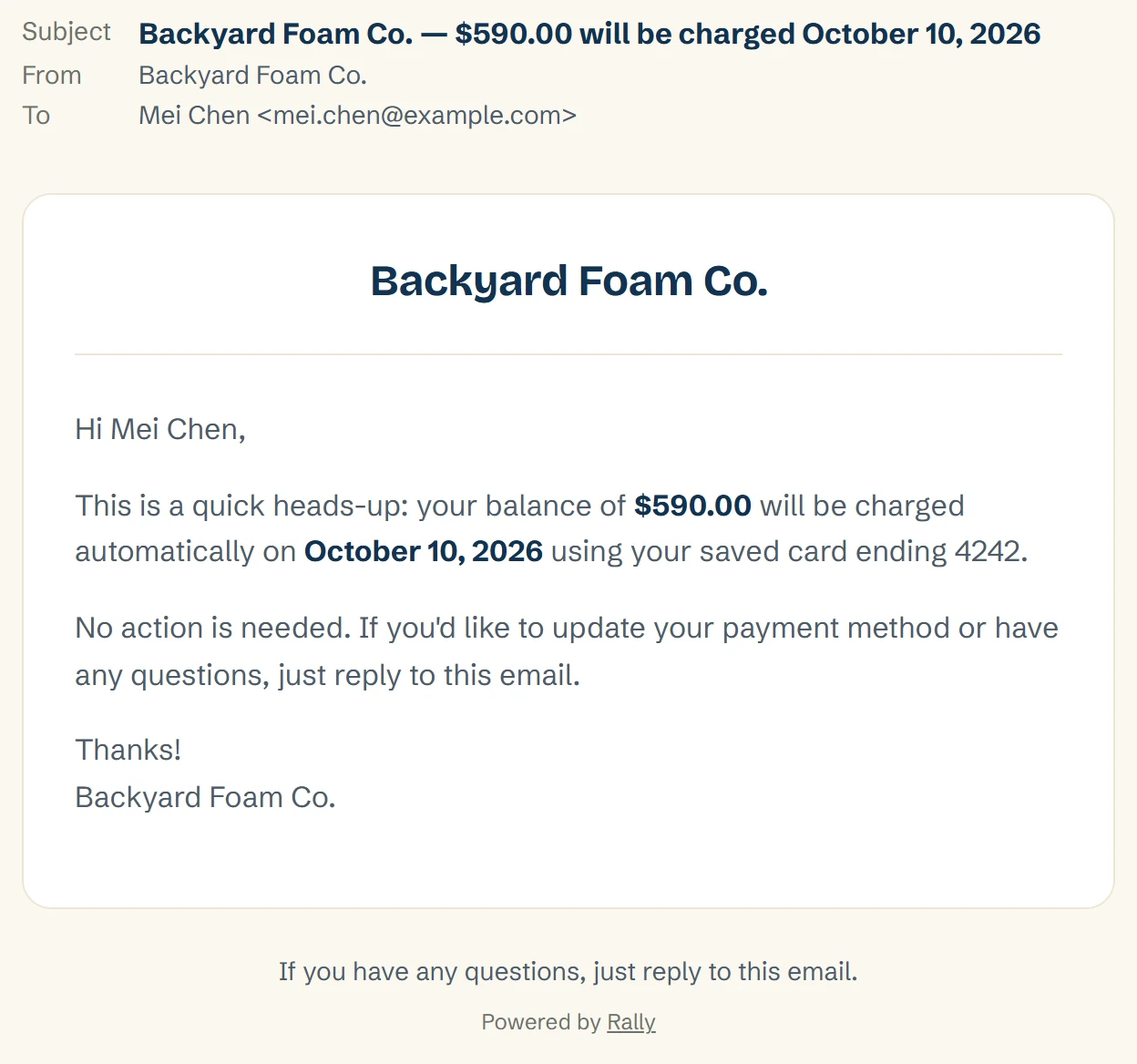
The client gets a heads-up email the day before, with the amount, the date, and the card
Auto-bill is for the balance only. The client pays the deposit themselves, from the deposit link
Auto-bill needs Rally Pay. It doesn't work with your own Stripe account or another processor
If the card is declined, the client gets the usual pay link by email and you get a notification with the reason
You can turn it off for any one payment with the “Auto-charge on due” switch
Auto-bill is on every plan
An email from Backyard Foam Co. to Mei Chen: a heads-up that her balance of $590.00 will be charged automatically on October 10, 2026 using her saved card ending 4242, and that no action is needed
Step 4 · Everything else

Everything else that gets you paid

Some clients pay by check, and some bookings aren't on auto-bill. You record those payments by hand, and the Bookings list shows where each booking stands.
Checks and cash recorded by hand
Invoices with a pay link, and a payment-due reminder the day before if you want one
A tip link for the client after the party
The Bookings list marks each invoiced booking Paid, Partial, Overdue, or Unpaid
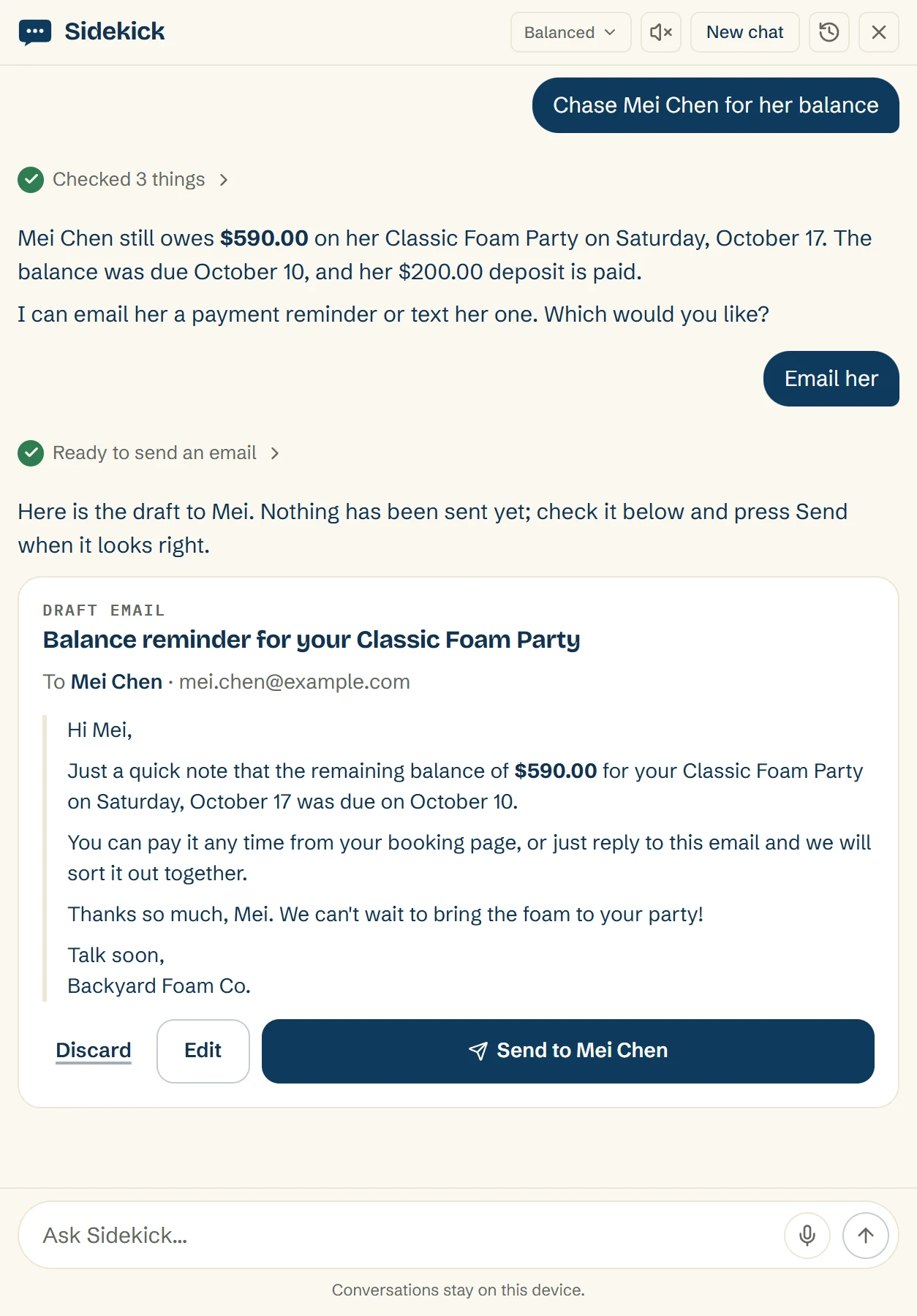
For anyone who isn't on auto-bill, Sidekick drafts the balance reminder and holds it until you send it
Nothing sends without your yes
Sidekick asked to chase Mei Chen for her balance: it finds the $590.00 she still owes, drafts a reminder email, and holds it with Discard, Edit and Send to Mei Chen until you send it
Questions operators ask
Does the client have to agree to be charged automatically?

Yes. When the client pays the deposit, they tick a box agreeing to have the balance charged to that card on its due date. Rally stores the exact wording they agreed to.

Does the deposit charge automatically too?

No. The client pays the deposit themselves from the deposit link. Auto-bill is for the balance.

Does auto-bill work with my own Stripe account?

No. Auto-bill needs Rally Pay, which is how Rally takes card payments. It doesn't work with your own Stripe account or another processor.

Does the client get a warning before the balance is charged?

Yes. Rally emails the client the day before with the amount, the date, and the card it will charge.

What happens if the card is declined?

Rally sends the client the usual pay link by email, and you get a notification with the amount and the reason the card was declined. Rally does not keep retrying the card.

Can I turn auto-bill off for one booking?

Yes. Each scheduled payment has an “Auto-charge on due” switch, and you can turn it off for that payment.

Which plan do I need for auto-bill?

Auto-bill is on every plan. The pricing page has what each plan costs.

Can I still take checks and cash?

Yes. Card payments go through Rally Pay, and you record checks and cash by hand.

Can I split a big booking into installments?

Yes. Rally has installment plans for the big bookings. On an invoice payment plan, every installment after the first charges itself through Rally Pay.

Let the balance charge itself

Start free, or book a walkthrough and Danny will map your setup into Rally while you watch.

Your first 10 bookings are free, whenever they happen. No card to start.